


Popular Words: Family Game
4.83.60K Reviews
App Specs
- Version
- 1.4.4
- Updated On
- License
- Free
- Downloads
- 10,000,000+
- Developer
- Unico Studio
- Categories
- Trivia
- Platform
- Android, iOS
Screenshots



 Analysis by AppCompare
I usually judge a casual game by what happens after the first burst of curiosity: do I still reach for it when the novelty has worn off, and does it fit naturally into an ordinary day? Popular Words: Family Game makes a strong first impression because its central idea is easy to grasp. Players try to identify the answers other people are likely to give, turning familiar topics into quick rounds of discussion and guesswork. I found that the best moments often came not from getting an answer right, but from hearing why someone else thought it was obvious.
That people-first quality gives this trivia game a useful place at gatherings, though it also sets a clear expectation: it works best when people are willing to talk, react, and play along. It is less suited to someone looking for a solitary puzzle with a deep campaign or a skill system to master. I would think of it as a prompt for shared conversation rather than a game that needs to occupy every spare minute.
Why the first few sessions click
The appeal is immediate for a practical reason: nobody needs much specialist knowledge. Instead of testing obscure facts, the game asks for popular responses, so players can make a case for an answer based on everyday experience. That makes it approachable for mixed-age groups and helps a new player join without studying rules beforehand.
In my experience, a useful way to start is to keep the first session short and let the group learn the rhythm as it goes. People quickly discover that a plausible answer is not always the answer most people would say. That gap between personal logic and the crowd’s likely response is where the discussion comes from, and it keeps a round from feeling like a school quiz.
Does it keep its place over time?
Unico Studio’s game sits in a familiar trivia space, but its emphasis on widely shared answers gives it a different feel from a conventional question-and-answer quiz. A standard quiz rewards recalling a fact; here, players are trying to anticipate common choices. If your group enjoys comparing instincts and defending unexpected guesses, that distinction can give the game repeat value beyond the first evening.
Still, lasting appeal depends on the people you play with and how often you bring it out. A group that likes quick debates can return to the same basic premise without needing a complicated setup. If everyone prefers a new mechanic, a story, or a steadily unfolding challenge each time, the format may feel familiar sooner. I would use it as a social option to rotate into a game night, not necessarily as the one game expected to stay exciting every day.
Light upkeep, with a social trade-off
This is a low-commitment choice for a family visit, a casual get-together, or a lull while people are waiting for food. You can introduce the idea in a sentence, play a few rounds, then stop without losing the thread of a long session. That flexibility matters: a game that fits around conversation is easier to bring back than one that demands a fixed evening and everyone’s full attention.
Worth Reading Before You Choose

Baby Panda World Brings Quick Play to Modern Phones, but Its Game Library Feels Busy

ESPN’s Live Game View Makes Following Close Games Easier

QuizzLand Review: A Good Fit for Short Trivia Breaks, Not Every Player

Basketball Stars: Multiplayer Is Fast, but Can It Recover When Matches Go Wrong?

WEBTOON Turns Phone Updates Into a Better Reading Routine

Link to Windows Runs on Shared Habits, Not Social Feeds
The maintenance is less about managing a complicated game and more about keeping the group engaged. If one confident player answers every prompt while others hang back, invite quieter players to explain a guess before the group moves on. That small change gives the conversation room to breathe and makes the shared-answer format more enjoyable. On the other hand, if your group would rather play independently or dislikes being put on the spot, a solo word puzzle is likely a better fit.
Where repetition can creep in
The same accessible premise that makes the game easy to start can also become its limitation. Once players understand that they are searching for likely popular answers, rounds may begin to feel alike, especially if the group tends to think in the same way. Treating each answer as a chance to explain a different perspective helps, but it cannot turn a lightweight party game into a deep strategy experience.
It is also worth choosing the moment carefully. At a lively gathering, talking through guesses is part of the fun; in a quiet setting, or when players are distracted, the social energy may not be there. I would not pick it for people who want a demanding trivia test, a strong solo mode, or a long-term progression goal. Its best use is a relaxed shared break, not a substitute for every kind of game.
For a real-world example, imagine a family waiting for everyone to arrive before dinner. Rather than asking one person to explain a complicated board game, you can use a few rounds to get people talking while latecomers settle in. Someone can offer a surprising guess, another person can challenge it, and the conversation can carry on even after play pauses. That is a more convincing reason to keep the app around than simply having another source of questions.
For the same reason, I would choose it over a fact-heavy quiz when the group spans different ages or interests, but I would choose a word puzzle when I wanted to play quietly on my own. A traditional trivia game is a better match for players who want to prove what they know; this one is better when the point is seeing whether friends can predict a crowd. Neither approach is universally better—the right pick depends on whether your group wants knowledge testing or conversation.
First Impressions and Setup
The setup was a breeze. Right after launching, Popular Words: Family Game greets you with a colorful and intuitive interface. Even my tech-averse uncle could navigate it without any hiccups. The app doesn’t waste time with lengthy tutorials. Instead, it gives you a brief walkthrough and you're ready to dive into the fun.
Creating a game is straightforward, and you can invite family members to join in just a few taps. The app supports both local play and online multiplayer, which is perfect for connecting with those living miles away.
How the Game Works
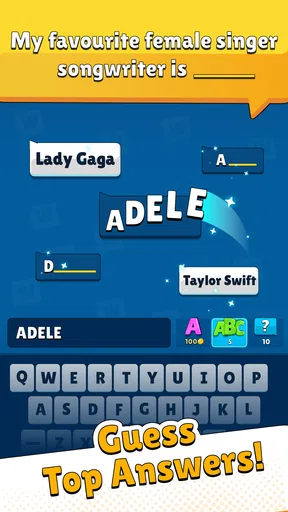
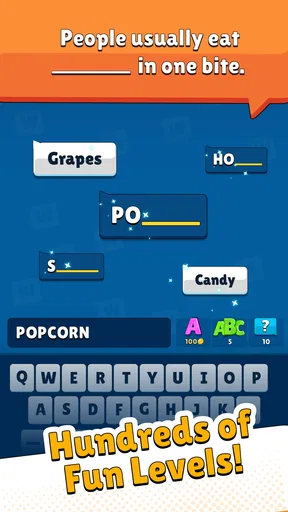
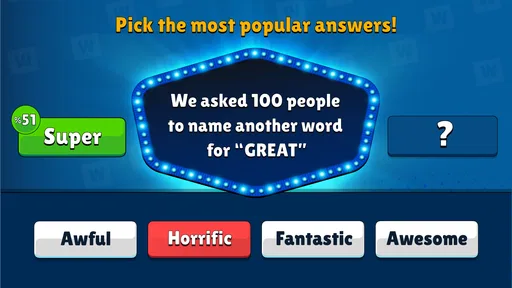
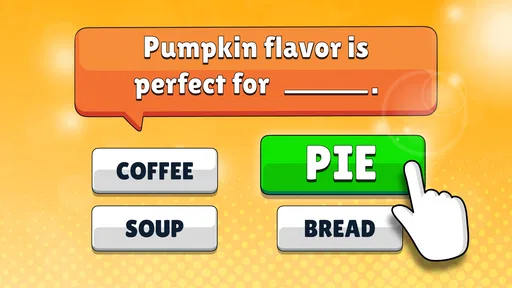
The concept is ingeniously simple. You get a category, and the aim is to guess the most popular words associated with it. Imagine playing a more dynamic version of Family Feud. The categories range from "Things in the Kitchen" to "Funny Animals," ensuring there's something for everyone.
It’s a classic word association game, but with a modern twist. Each round, players take turns guessing words. The more guesses that match the popular answers, the higher your score. It’s easy to get caught up in the excitement, especially when the timer starts ticking down.
Game Features That Stand Out
One of my favorite features is the customizable categories. You can add your own categories and words, which means you can tailor the game to your family’s interests. This kept us entertained for hours, as we crafted categories based on inside jokes and family memories.
The app also includes a scoreboard that keeps track of scores across multiple rounds. This added a competitive edge, prompting some friendly banter among us. Plus, the vibrant animations and sound effects add an extra layer of excitement, making each correct guess feel like a mini victory.
Custom categories are most useful when they give a group a shared reference point rather than an advantage to one player. I would keep prompts broad enough that everyone can contribute, then use an inside joke as a bonus topic once the group has found its footing. That balance can make a family round feel personal without leaving a guest out of the conversation. It is also a good reason to save a custom theme for a gathering where the people playing actually share the memories behind it.
One practical question is whether the game suits a mixed-age table. The core idea is accessible, and the Everyone content rating makes it appropriate for a broad audience, but the fun still depends on choosing topics people recognize. For younger players, I would lean on familiar everyday subjects and make space for explanations; an answer can be imaginative even when it is not the popular one. For adults who want a tougher test, the game’s appeal is more about predicting common responses than digging into specialist knowledge.
What to expect from the free version
The game is free to start, with optional in-app purchases ranging from $0.99 to $64.99 per item. I would treat the free entry point as a chance to see whether your family enjoys the format before spending anything. The purchase range is broad, so it is sensible to check the in-app options for yourself and make a deliberate choice rather than assuming every extra is necessary to enjoy a casual session.
For parents, the Everyone age rating is a reassuring starting point, but I would still consider the people and setting around the screen. A family-friendly rating does not mean every group will enjoy the same pace or competitive tone. If a child is easily frustrated by timed guessing, keep the mood playful and avoid turning scores into a serious contest. The game works best when a missed answer leads to a laugh or a new opinion, not pressure to perform.
How it fits into an ordinary routine
Its strongest recurring use is as a ready-made social activity for short gaps: a few minutes before a meal, a quiet stretch during a visit, or a remote catch-up when people want something to do together. The online multiplayer option can help connect people who are not in the same room, while local play makes it a natural choice for an in-person group. I would still plan around conversation rather than expecting the app to create a lively atmosphere by itself.
If the group is playing remotely, agree on how you will take turns and keep everyone involved before starting. That simple bit of coordination can prevent the most talkative player from dominating, and it gives people a chance to think before the timer or pace pushes the round along. In person, the opposite can work: let reactions happen, then move on before a debate over one answer becomes longer than the game itself. These small adjustments matter because the central fun is social, not mechanical.
The game has a 4.8 average from around 96,000 ratings, and it has been installed over 10 million times. Those figures suggest that the accessible format has reached a large audience, though popularity alone cannot tell you whether it suits your particular group. Its current version is 1.4.2, and it runs on operating systems from 7.1 onward. I would check that your device meets the minimum before planning a group session, especially if you are setting it up on an older phone.
Bringing the Family Together
What really made Popular Words: Family Game shine was its ability to engage everyone. From the youngest cousin to Grandma, everyone was laughing, shouting, and trying to come up with the best answers. It’s rare to find a game that bridges generational gaps so effortlessly.
Even those who were initially skeptical got hooked after a round or two. The game’s mix of creativity, quick thinking, and luck ensures nobody feels left out. It’s more about the fun of playing together than winning, which is exactly what family games should be about.
For me, that is also the standard I would use to decide whether it earns a lasting place on a phone. If it gets opened for a visit, a family call, or a brief shared break, it is doing a useful job without needing to become a daily habit. If the group stops enjoying the back-and-forth, there is no reason to force it; a board game, a conversation, or a solo puzzle may suit that moment better. Its value comes from fitting the right occasion, not from demanding constant attention.
Final Thoughts
In a world where digital interactions often replace face-to-face communication, Popular Words: Family Game is a breath of fresh air. It’s a fantastic way to unplug from the usual screen time and engage in some quality family bonding. Whether you’re looking to liven up a family gathering or just spend a cozy night in, this app delivers.
So, if you’re tired of the usual family routines and want to inject some fun into your gatherings, give Popular Words: Family Game a try. It’s simple, engaging, and most importantly, it brings people together. And isn’t that what family is all about?
My longer-term verdict is positive but specific: this is a lightweight trivia game I would keep available for the people and moments it suits, rather than rely on it as a deep, endlessly varied pastime. Unico Studio has made a familiar kind of group guessing easy to pick up, and the free download lowers the barrier to testing it with your own circle. If your friends or family enjoy quick opinions, friendly disagreement, and a little competition, it can earn a regular spot in your get-together rotation. If you want a demanding solo challenge or a fresh system to master over months, I would look elsewhere.
Pros
- Engaging multiplayer mode.
- Simple
- intuitive interface.
- Educational for all ages.
- Regular updates enhance gameplay.
- No intrusive ads.
Cons
- Limited offline functionality.
- Occasional connectivity issues.
- Some in-app purchases needed.
- Graphics could be improved.
- Initial setup takes time.
FAQs for Popular Words: Family Game
What is Popular Words: Family Game about?
Popular Words: Family Game is a fun and engaging word puzzle game designed for family and friends. Players are challenged to guess the most popular answers to various prompts, enhancing vocabulary and quick thinking. It's an excellent choice for gatherings, providing entertainment and educational value for all ages.
Is Popular Words: Family Game suitable for all age groups?
Yes, Popular Words: Family Game is suitable for all age groups. Its family-friendly content and intuitive gameplay make it accessible for children, teenagers, and adults. The game promotes learning and fun, ensuring everyone in the family can participate and enjoy the challenges together.
Does Popular Words: Family Game require an internet connection?
Popular Words: Family Game can be played offline, making it perfect for travel or areas with limited internet access. However, an internet connection is recommended for downloading updates, accessing new content, and participating in online leaderboards or challenges with other players.
Are there any in-app purchases in Popular Words: Family Game?
Yes, Popular Words: Family Game offers in-app purchases. These may include additional word packs, hints, and ad-free experiences. While the base game is free, these optional purchases can enhance gameplay and provide a more personalized experience for those who choose to invest.
How can I ensure my child’s safety while playing Popular Words: Family Game?
Popular Words: Family Game is designed with safety in mind, featuring age-appropriate content. Parents can further ensure safety by setting up parental controls on the device, monitoring gameplay, and discussing online safety if the child participates in any online features or forums associated with the game.


